

CO₂ Cylinder for xTool P3
The CO₂ cylinder for xTool P3 is a disposable gas cylinder used in the device’s built-in fire extinguishing module. It is not included with the device by default due to hazardous item shipping restrictions and regional policies. The cylinder is essential for automatic fire suppression; without it, the device will only emit a beep if a flame is detected and cannot discharge CO₂ gas.
Key Specifications
- Type: 0.6L soda water cylinder
- Minimum CO₂ filling capacity: 400g
- Threaded bottle neck: M18*1.5
- Valve thread: TR21*4
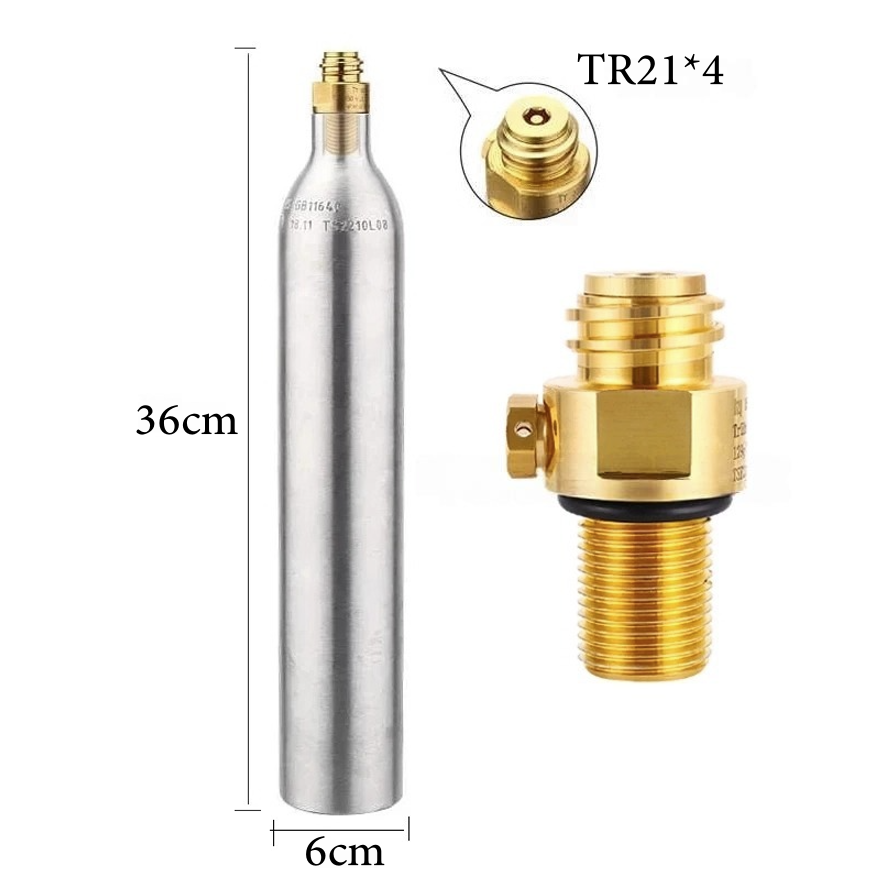
Installation & Replacement
- The device can operate without a CO₂ cylinder installed, but fire suppression will not function.
- Cylinders are single-use: After activation, the gas is fully discharged and must be replaced.
- Do not install the cylinder while the device is operating. Install when on standby to hear the prompt sound indicating proper seating.
- Check the rubber plug at the CO₂ outlet after installation to ensure it is properly seated.
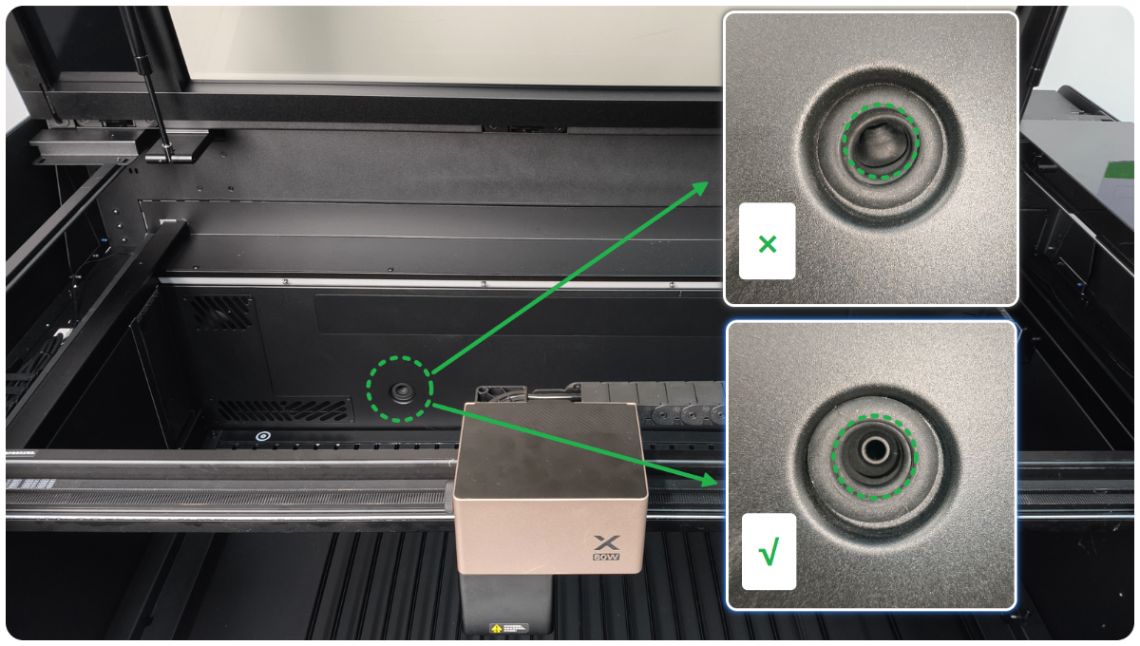
Troubleshooting
- Cylinder cannot be installed: Check thread compatibility. If threads are incompatible, do not force-tighten; replace the cylinder.
-
No prompt sound after installation: Enable the buzzer in device settings:
Device settings > Device settings > Buzzer -
Check installation status:
Update software/firmware, then go to··· > Device settings > Device settings > Gas cylinder status -
Error after installation:
- If gas is insufficient, follow this guide.
- If software says "gas cylinder is not installed," follow this guide.
FAQ
-
Does the gas cylinder come with xTool P3?
No, it is sold separately. You must purchase a compatible cylinder through authorized channels. -
Can I use any CO₂ cylinder?
Only cylinders matching the specifications above are compatible. -
Is the fire safety set compatible with xTool P3?
No. xTool P3 has its own built-in fire extinguishing module; the gas cylinder for this module is sold separately.
Video Tutorial
References


[nerdy-form:16962]
YOUR CART
Free Same Day Shipping On All Supplies!
Loading...